
Simple Tips to Create a Cozy and Productive Home Office Environment
lapanie.pro >> Home Office>>Productivity>> Simple Tips to Create a Cozy and Productive Home Office Environment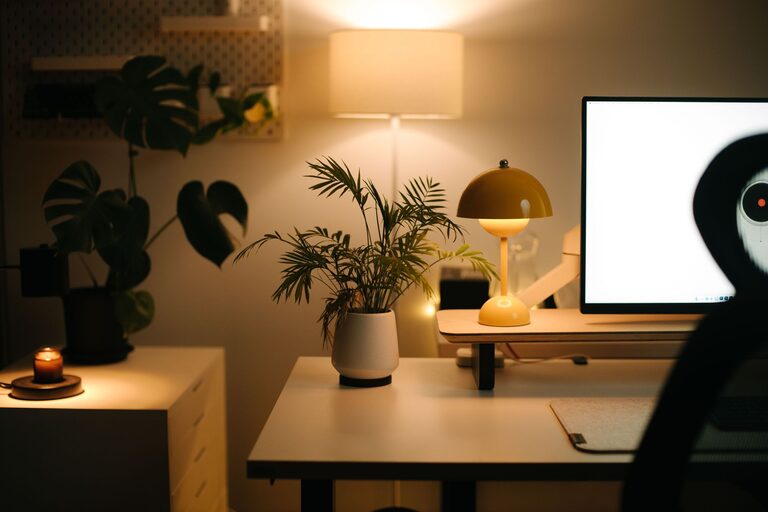
Simple Tips to Create a Cozy and Productive Home Office Environment
Creating a home office that feels cozy yet supports productivity is essential for anyone working remotely or managing tasks from home. A well-designed workspace can increase focus, reduce stress, and make long workdays more enjoyable. Here are some simple tips to help you transform your home office into a comfortable and efficient environment.
Choose the Right Location
Picking the perfect spot for your home office sets the foundation for comfort and productivity.
– Quiet and private: Select a space where you can work without frequent interruptions or noise.
– Natural light: Whenever possible, position your desk near a window to benefit from daylight, which can improve mood and energy.
– Sufficient space: Ensure you have enough room for your desk, chair, and any office essentials without feeling cramped.
Invest in Ergonomic Furniture
Comfortable and supportive furniture plays a huge role in how productive and relaxed you feel.
– Comfortable chair: Choose an adjustable chair with good lumbar support to prevent back pain.
– Desk height: Your desk should allow your arms to rest at a 90-degree angle while typing.
– Foot support: If your feet don’t reach the floor, use a footrest to keep your posture natural.
Organize Your Workspace Efficiently
A clutter-free and organized desk helps clear your mind and focus on work.
– Declutter regularly: Remove unnecessary items daily to maintain tidiness.
– Storage solutions: Use drawers, shelves, or organizers to keep documents and supplies neat and within reach.
– Cable management: Tidy up wires with clips or sleeves to prevent tangling and distraction.
Add Personal and Cozy Touches
Making your workspace inviting encourages you to spend time there and feel comfortable.
– Plants: Greenery not only freshens the air but also creates a calming atmosphere.
– Soft textiles: A cozy cushion or throw blanket can add warmth.
– Artwork or photos: Display images that inspire or relax you without overwhelming the space.
Control Lighting and Screen Glare
Proper lighting reduces eye strain and enhances concentration.
– Task lighting: Use a desk lamp with adjustable brightness to focus light where you need it.
– Avoid glare: Position screens perpendicular to windows and consider anti-glare screen protectors.
– Ambient light: Soft overhead lights can reduce harsh contrasts and make the room inviting.
Minimize Distractions
Creating boundaries helps maintain focus during work hours.
– Set work hours: Define when your office is “open” and communicate this to others at home.
– Use headphones: Noise-cancelling headphones can help block out background sounds.
– Limit notifications: Turn off non-essential alerts to stay focused on tasks.
Incorporate Break and Movement Areas
Staying active is important to prevent fatigue and keep energy levels high.
– Stretch breaks: Set reminders to stand up and stretch regularly.
– Movement space: If possible, keep a small area for quick exercises or standing work.
– Comfort zone: Have a nearby chair or spot where you can relax during breaks.
Maintain Air Quality and Temperature
A fresh and comfortable atmosphere improves both health and productivity.
– Ventilation: Open windows when possible to circulate fresh air.
– Air purifiers: Consider one if your office tends to feel stuffy.
– Thermostat settings: Keep the room at a comfortable temperature, typically between 20–22°C (68–72°F).
Use Technology Wisely
The right tools can simplify your workflow and enhance efficiency.
– Reliable internet: Make sure your connection is stable for video calls and online tasks.
– Peripherals: Use a good keyboard and mouse to reduce strain.
– Apps and software: Organize tasks using productivity apps and keep digital files well-structured.
—
By following these simple tips, you can create a home office space that feels warm and welcoming while fostering your productivity. A thoughtfully designed workspace benefits not only your work performance but also your overall well-being, making the work-from-home experience more enjoyable and effective.